
build
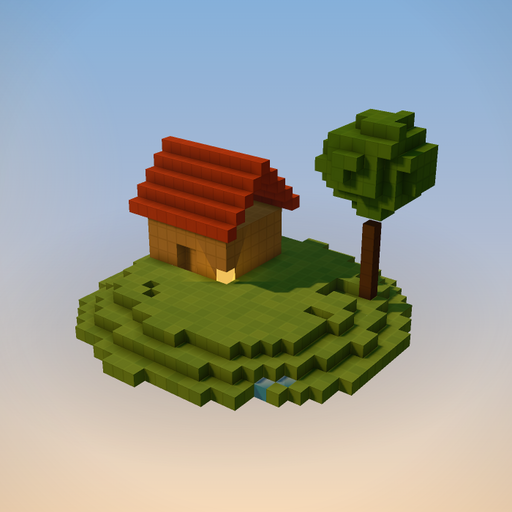
ChatGPTBuild a NEW voxel diorama beside the chat from a Voxel Script: any place, event or idea. Returns scene_id; change a shown scene with edit (in place). Draw more, talk less: reply in a sentence or two. Write the whole scene in one script. guide(topic) has techniques; invent your own shapes and colours. One command per line (# comments). Solids stand on POS (bottom-centre): box POS WxHxD P | sphere POS rN P | ellipsoid POS WxHxD P | cylinder POS rN hN [x|z] P | cone POS rN hN P | torus POS rN tN [x|y|z] P hollow = shell; half = upper half (dome), or arch/barrel when lying along x|z; flip = upside down (bowl, overhang under a floating island, hanging cone) Through points: line A B.. [rN] [smooth] [arc N] P (arc bows it up N at the middle; negative sags: cables) | path A B.. wN [hN] [smooth] [arc N] P (roads, rivers, arc: bridges) | plane A B C [tN] P (corner A, edges to B and C: roofs) | triangle A B C P | poly A B C.. [hN] [hollow] P (any floor shape) | helix POS rN hN turns N [wN] P | terrain POS WxD hN [tN] [seedN] [island] P (thin rolling land) | text POS "WORDS" [hN] P (3x5 letters, h5 = 1 voxel per pixel, faces south; each: a colour per letter) Modifiers: times N step X,Y,Z (N copies in all, the first at POS) | scatter N WxD [seedK] | along N POS.. (N copies from POS through those points, facing the way; arc N bows) | ring N WxD (around POS, facing in) | on PART (on its top; scatter N on PART spreads over it) | vary N (% size) | turn D|random (scatter: random quarter turns unless given) | lean N (random tilt, deg) | jitter N (random shift) | rough N (bumpy) | flow X,Z speed N (moving water) | each (one colour of each mix per copy) | sunk [N] (lowered N, default its height, and the ground above carved: rivers, ponds, cellars) | sway 1-3 (wind) | hop 1-3 (bounce). Random ones differ per copy; lines with the same seedK share spots, lean and shift (trunk + crown). part NAME: then indented lines. Parts are anchored to, animated and edited as units; put everything in parts, group repeats in one part (max 254). piece NAME: then indented shapes around 0,0,0 (~ = its base, no @anchors): a thing to place many times. use NAME POS [times|scatter|ring|along|on, vary, turn, each...] stamps it. anim NAME spin x|y|z Nrpm [pivot POS] | swing AXIS DEG Ns [pivot POS] | bob AMP Ns | move X,Y,Z.. Ns [loop|pingpong|once] [smooth] [face] behavior PART door|windmill|bell (a click starts it) | sound chime|wind (plays after the user clicks) wind 0-3 | time golden|day|dawn|dusk|night|cycle (default: the day passes slowly) | camera se|sw|ne|nw|top|south [pitch N] [zoom N] [focus PART] | sky [stars 0-3] [clouds 0-3] [moon] [birds] [mist 0-3] POS: x,y,z (y up, north -z, east +x) or @part.top|bottom|center|north|south|east|west[+dx,dy,dz]. y = ~ stands on whatever is below that x,z (ground or another part; nothing below = 0), ~+N above it; one ~ height per part; on or beside a part, use its anchors (@bus.top). P: stone cobble brick wood plank bark leaves pine grass moss dirt path sand water ice snow glass roof slate thatch gold iron white black grey red orange yellow green blue purple pink brown, #rgb, air; grass~ varied; stone*3|moss mix; a mix plus stripes|bands|checker|bricks|dots [N] lays it out as that pattern (red|white stripes 2; brick|#c8bfb0 bricks: last colour = mortar); #ffcc66! glows (lamp, fire, lava always); water/glass/ice are see-through (seas and rivers: water, not a blue #hex). Make the ground cover every object with a margin. Scale: voxel 25 cm, person 7 tall, house ~16x14x12. Standard scene ~900 across (island terrain), up to ~250 tall; hollow big solids. Fronts face south (the camera is south-east). Example: part ground: terrain 0,0,0 76x60 h3 t2 island grass~|moss path -20,~,16 -8,~,12 0,~,6 w4 smooth path part house: box -8,~,0 16x10x12 plank hollow box @house.south 3x6x1 air box @house.south-5,3,0 2x2x1 glass times 2 step 10,0,0 part roof: plane @house.top-9,0,-7 @house.top+8,0,-7 @house.top-9,6,-1 roof plane @house.top-9,0,6 @house.top+8,0,6 @house.top-9,6,0 roof triangle @house.top-8,0,-6 @house.top-8,0,5 @house.top-8,5,0 p…