MCP App Store
by KeenEthics
Invoice Field Extractor icon

Invoice Field Extractor MCP Server for ChatGPT

By Beike Yan

Overview

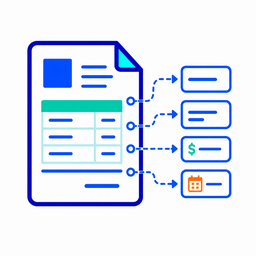
Invoice Field Extractor extracts structured fields from invoice text, including invoice number, supplier, buyer, dates, line items, subtotal, tax amount, total amount, currency, billing address, payment terms, missing fields, and errors. It is read-only and does not approve invoices, pay invoices, provide tax or accounting advice, send emails, contact suppliers, or modify external systems.

How to connect

  1. ChatGPT: Open the Invoice Field Extractor listing in the ChatGPT app directory and choose Connect. ChatGPT listing

Tools

invoice_field_extractor

ChatGPT
Use this tool when the user provides raw invoice text and needs deterministic structured invoice fields extracted for an order or finance processing workflow. The tool returns invoice number, supplier, buyer, invoice date, due date, currency, line items, subtotal, tax amount, total amount, billing address, payment terms, missing fields, source text, and errors. Do not use this tool to approve invoices, pay invoices, provide tax advice, provide accounting advice, generate bookkeeping recommendations, contact suppliers, send emails, modify orders, or write to external systems. This tool is useful when stable structured extraction is needed instead of an open-ended model response.

Example Prompts

Click any prompt to copy it.

Similar Apps

Listed on MCP App Store

Listed on MCP App Store

Add this badge to your site or README. It links to this page.

HTML

<a href="https://mcp-app-store.keenethics-labs.com/app/invoice-field-extractor"><img src="https://mcp-app-store.keenethics-labs.com/badges/listed-on-mcp-app-store.svg" alt="Listed on MCP App Store" width="220" height="44"></a>

Markdown

[![Listed on MCP App Store](https://mcp-app-store.keenethics-labs.com/badges/listed-on-mcp-app-store.svg)](https://mcp-app-store.keenethics-labs.com/app/invoice-field-extractor)