MCP App Store
by KeenEthics
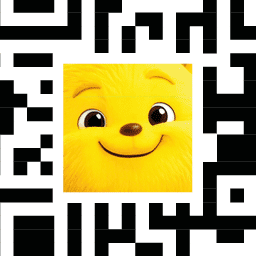
QR-OOO BOOMBATZO icon

QR-OOO BOOMBATZO MCP Server for ChatGPT

By QR-OOO BOOMBATZO

Overview

Creates a scannable QR code image you can scan right in the conversation. Six kinds: a web link, a Wi-Fi network guests join by scanning, a contact card that saves a person's details, an email address with an optional prefilled subject, a chat app link with an optional prefilled message, or a link to a payment page. Say what you need and it asks for any missing detail instead of guessing. Useful for printed menus, flyers, business cards, event signage and guest Wi-Fi cards.

How to connect

  1. ChatGPT: Open the QR-OOO BOOMBATZO listing in the ChatGPT app directory and choose Connect. ChatGPT listing QR-OOO BOOMBATZO exposes 6 tools here.

Tools

make-email-qr

ChatGPT
Create a QR code image that encodes an email address, optionally with a prefilled subject and message. Use when someone wants a QR code that opens a new email to a recipient. Returns the QR code as a PNG image, kept for 7 days so the chat can display it and deleted after that, together with a link to restyle it. Requires a valid email address.


make-payment-qr

ChatGPT
Create a QR code image that encodes a hosted payment page address, such as a PayPal, Stripe or UPI payment link. Use when someone wants a QR code that customers can scan to open a payment page. Returns the QR code as a PNG image, kept for 7 days so the chat can display it and deleted after that, together with a link to restyle it. Requires the full payment page URL. The plugin only encodes that link: it does not process, hold or verify payments.

make-vcard-qr

ChatGPT
Create a QR code image that encodes a contact card (vCard), which a phone can save to the address book. Use when someone wants to share a person's name, phone number, email address, organization or website as a QR code, such as a business card code. Returns the QR code as a PNG image, kept for 7 days so the chat can display it and deleted after that, together with a link to restyle it. Requires the contact's name; phone, email, organization and website are optional.

make-whatsapp-qr

ChatGPT
Create a QR code image that encodes a WhatsApp chat link, optionally with a prefilled message. Use when someone wants to share a WhatsApp contact or let a customer start a chat by scanning. Returns the QR code as a PNG image, kept for 7 days so the chat can display it and deleted after that, together with a link to restyle it. Requires the phone number including its country code.

make-wifi-qr

ChatGPT
Create a QR code image that encodes Wi-Fi network details, so a phone can join the network by scanning it. Use when someone wants to share a network name, a network password, or guest Wi-Fi access as a QR code. Returns the QR code as a PNG image, kept for 7 days so the chat can display it and deleted after that, together with a link to restyle it. Requires the network name (SSID), the network password, and the security type (wpa, wep, or none for an open network). The code is a static picture and never expires. Anyone who scans the code can read the password it carries.

Capabilities

WritesInteractive

Example Prompts

Click any prompt to copy it.

Similar Apps

Listed on MCP App Store

Listed on MCP App Store

Add this badge to your site or README. It links to this page.

HTML

<a href="https://mcp-app-store.keenethics-labs.com/app/qr-ooo-boombatzo"><img src="https://mcp-app-store.keenethics-labs.com/badges/listed-on-mcp-app-store.svg" alt="Listed on MCP App Store" width="220" height="44"></a>

Markdown

[![Listed on MCP App Store](https://mcp-app-store.keenethics-labs.com/badges/listed-on-mcp-app-store.svg)](https://mcp-app-store.keenethics-labs.com/app/qr-ooo-boombatzo)